When a site won't open, there are exactly three reasons, and they get fixed in different ways: the site itself is down, something broke on your end, or the network you're sitting on is blocking it.
From where you sit, all three look identical: spinner, then "couldn't connect." Here are five checks that take about five minutes and tell you which of the three you've got, and what to do about it. Nothing to install, all from the browser.
site is down for all   wait, don't fix
broken on your end     DNS, router, clock
your network blocks    workaround or
                       another network
   └─ the five checks below tell
      them apart in minutes
Check 1: does everything else open?
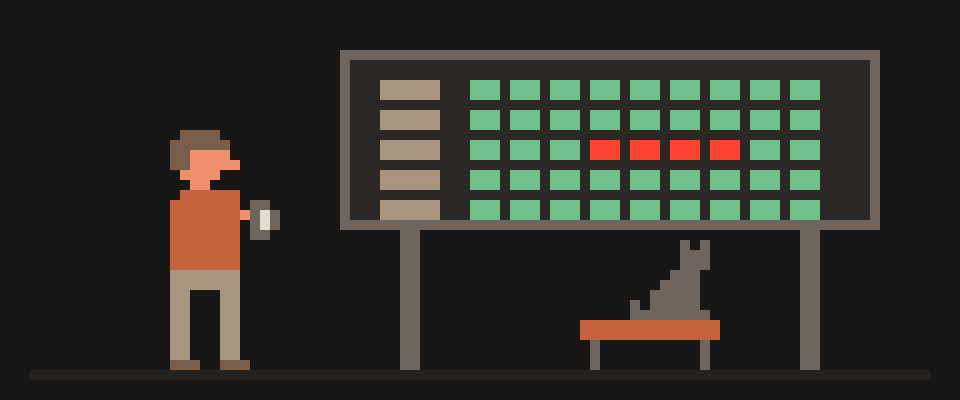
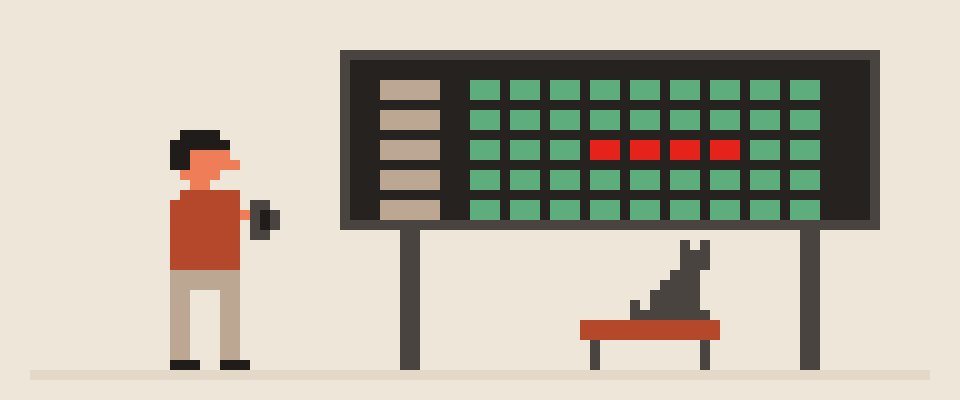
The fastest one. Open the service check: in a few seconds the page knocks on a set of popular sites straight from your browser and shows who answered fast, who was slow, and who stayed silent.
Here's how to read it. One service silent, the rest green: the problem is either that service or a block on it, but it's not you. All of them silent: something's broken on your end, skip to check 3. One service answering several times slower than its neighbors: that looks like throttling rather than a block, and the fix is the same workaround.
One caveat that matters: the check only looks at whether the domain answers. A site can open while its video doesn't; a messenger can send texts while calls stay dead. Big services run dozens of domains, and one of them can be closed off on its own.
Check 2: is it down for everyone?
If one service is silent, the next question is whether it's down or closed off just for you. The answer is on the outages page: our nodes in several countries open 77 popular services every fifteen minutes and log the response. A red bar next to a service means it wasn't answering from there either, and that's not about your network. Green bar, but silent for you, means the trouble is on the road between you and it: filtering at your ISP, a routing fault, DNS. That's the case a workaround fixes. How to read the outages page together with the blocking map and the node measurements, so you know whose problem it is in a minute, is in what's down right now: outages vs blocks.
This is different from the sites that count complaints: their bar grows when lots of people tap "it's not working for me." Ours is a measurement, not a poll, which is why it says "we checked," not "users report."
Check 3: another network
Turn off Wi-Fi and open the same site on mobile data. Or the other way around. If it opens on one network and not the other, the cause lives in the network where it fails, and you just found it. No need to keep digging.
This is the most underrated check there is. Carriers and Wi-Fi networks block different things in different ways, and one minute of switching saves an evening of guessing.
opens everywhere       site is fine
opens nowhere          down, or it's you
Wi-Fi no, mobile yes   Wi-Fi blocks it
mobile no, Wi-Fi yes   carrier blocks it
   └─ switching takes a minute
Check 4: did someone swap the address?
A big share of blocking doesn't happen at the site at all. It happens when your device asks DNS (the internet's phone book: name to address) "what's the address for this site." The ISP's DNS either doesn't answer or hands back the wrong address. The site is alive and reachable, you were just given bad directions.
You can check from a computer with two commands in a terminal:
nslookup example.com
nslookup example.com 1.1.1.1
The first asks your ISP's DNS, the second asks an independent one. If the answers differ, or the first errors out while the second returns an address, that's a DNS-level block. The fix is switching to a public DNS, ideally an encrypted one, so the requests can't be seen or swapped. Where to switch it on a phone and a computer is in what is DNS and should you change it.
If the answers match and the site still won't open, the block sits deeper: by address, or by the server name at the moment of connection. Changing DNS won't help there, you need a tunnel.
Check 5: with a VPN and without
The last one, and the most honest. Turn on the VPN and open the site. Opens with it, not without: that's a block on the network or ISP side, and you just got around it. Doesn't open even with the VPN: it's not a block, it's the site itself or your account on it, and the tunnel has nothing to do with it.
And "nothing to do with it" cuts the other way too: a service can refuse your country on its own, looking not at your address but at the region on your account and your card. Changing your address doesn't fix that, and no tunnel will.
| Symptom | Most likely | What to do |
|---|---|---|
| all services silent | broken on your end | router, clock, DNS |
| one silent, red for everyone | site is down | wait |
| one silent, green for everyone | your network blocks it | other network or VPN |
| yes on one network, no on the other | that network blocks it | you already know which |
| DNS answers differ | address swap | change DNS |
| opens with a VPN | network block | the VPN is the answer |
| won't open even with a VPN | service or account | not a network thing |
Is a site blocked in your country? What the data says
The question people ask most is a separate one: "is this site blocked in the country." Two sources answer it. First: a map of blocks by country, built from open sources, with an update date and the caveat that blocks are almost always partial and vary between carriers. It's here: internet blocking map. Useful before a trip, to know what won't work, not for fixing what's already broken.
Second: the OONI project, where volunteers around the world run measurements from their own networks. Worth keeping the authors' own caveat in mind: an "anomaly" in their data means signs of interference, not a proven block, and it can be a false positive.
Straight talk about regulators: some countries keep official registries of banned addresses, and a site on the registry is blocked by law. But the registry says "should be closed," and your network says "is it closed for you," and those aren't the same thing: every carrier enforces it its own way. The checks above answer the second question, and that's the one you actually need.
What to do if a site is blocked on your network
If it turns out the network is cutting it, you've got two options. Switch networks, if it's a one-off thing at a coffee shop or the office. Or a tunnel, if it's your home ISP and it's permanent. The second one is explained from scratch in what is a VPN and how does it work. And if you've got a tunnel but it keeps dropping, the checklist is in why does my VPN keep disconnecting.
Honestly, here's what I'd do: checks 1 and 3, two minutes. They cover four cases out of five. The rest only if those two came back empty.
[ ] do other services open?
[ ] is it down for everyone?
[ ] does it open on another network?
[ ] does DNS answer the same?
[ ] does it open with a VPN?
    └─ the first two usually settle it
If the picture doesn't add up, hand the results to an AI and let it build one version.
Help me figure out why a site won't open.

Site: (which one).
Other services on the same network: (open /
don't / some do).
Down for everyone: (yes / no / didn't check).
On mobile data: (opened / didn't).
nslookup via ISP and via 1.1.1.1:
(same / different / didn't run it).
With a VPN: (opened / didn't / no VPN).

Tell me which of the three causes is most likely
and what to do first. If you need more, ask.
In short
"Won't open" isn't "blocked." Three causes, five browser checks: other services, down for everyone, another network, DNS, with a VPN and without. The first two usually settle it in two minutes. A block is confirmed only when the site opens with a VPN and not without.
What can sites see about you right now?
Press Check and we will show what any site you open can see.
The report arrives once you confirm your email. The check runs in your browser and on our server (for WebRTC the browser contacts a Google STUN server). We keep the result only if you ask for the report.
Get an alert when your service goes down
Our nodes check services around the clock. Pick yours and we will alert you once our check points confirm an outage.
We only write when a service goes down and when it is back. Unsubscribe in one click.
10 phone settings that make it much harder to hack
No apps, no money. The first three are right here, and we will send the rest with menu paths for iPhone and Android.
- Automatic system and app updates
- A 6-digit passcode, not 4 digits or a pattern
- Find my phone and remote erase
+ 7 more with menu paths
The checklist arrives once you confirm your email. Unsubscribe in one click.