Is a VPN safe? On its own, neither safe nor unsafe. It's an encrypted tunnel to someone else's server, and everything hinges on whose server, what gets written down there, and what you do while the tunnel is up. A good VPN hides your list of sites from the coffee shop Wi-Fi and from your ISP. A bad one does the opposite: it collects that list itself, sells it, and throws in ads. And then there are the cases where the VPN is honest and useless, because the hole is somewhere else.
In short:
- A VPN's safety depends on whose server it is, what it writes down, and whether your leaks are closed.
- A VPN backfires with a free app, leaking DNS, a disabled kill switch, trust in a "no logs" banner, or false expectations.
- Delete any VPN app that asks you to install a root certificate, because it lets the issuer decrypt your HTTPS traffic.
Here are five situations where a VPN makes you less safe, not more. If none applies, your tunnel is doing its job. If one does, it's an evening's fix.
[!] a free app from the store
[!] tunnel up, DNS leaking around it
[!] kill switch turned off
[!] trusting the "no logs" banner
[!] expecting what it does not do
    └─ ten minutes to check all five
1. The free app from the store
Servers and bandwidth cost money. An app that doesn't charge you is charging someone else, and the product it sells is usually you: ad SDKs inside the app ship your device ID and habits to ad networks, and some services rent out your connection so that strangers exit to the internet from your address. You hid from your ISP to expose yourself to a company with no name and no address. How to tell an honest free tier from that is in Free VPN: what it actually costs.
all traffic from the device
the list of sites you open
timing and volume
the ability to change replies
   └─ so the question is not
      "does it work" but
      "who did you hand this to"
A related confusion is expecting a tunnel to do an antivirus's job: VPN vs antivirus.
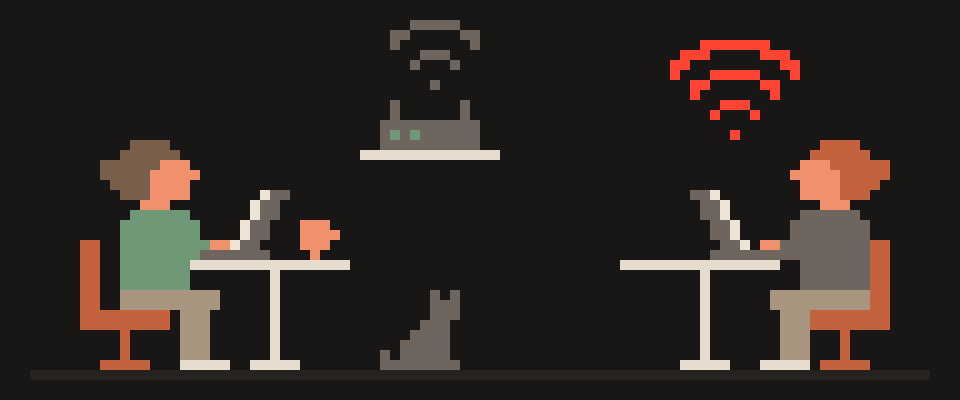
2. The tunnel is up and DNS is leaking around it
The most common failure, and an invisible one. The connection is established, your IP has changed, and your device is still asking the ISP's DNS server "where is this site". The list of sites goes to the ISP exactly as before, except now you're confident you're protected. Two minutes to check: What Is My IP should show the server's country, and the WebRTC and IPv6 leak tests shouldn't show your real address. The fixes, platform by platform, are in Is my DNS leaking.
3. The kill switch is off
Tunnels drop. Not because the service is bad, but because your phone hopped from Wi-Fi to cellular or the elevator ate the signal. For those seconds your device goes online directly, and whatever was open goes out unencrypted, with your address attached. A kill switch simply cuts the internet for that moment. Without it your protection works "almost always", and "almost" isn't a word that belongs in privacy. Details in What is a VPN kill switch.
4. You believe the "no logs" banner
The VPN server stands exactly where your ISP used to stand: it can see domains, timing and volume. Whether it records any of that is policy, not technology. "No logs" on a landing page means nothing; a policy that lists what is stored and what isn't means something, because you can check it. A service that "stores nothing at all" is either not running a business or not telling you everything: at minimum it stores your email and subscription status. What a real policy reads like is in What does no-logs VPN mean.
5. You expect things a VPN doesn't do
It doesn't make you anonymous: you signed into your email and your social accounts, and the site knows who you are through any tunnel. It doesn't hide your browser fingerprint: screen, fonts and time zone go to the site straight from the browser. It isn't an antivirus: a malicious download comes through the tunnel just fine. It doesn't stop phishing: a fake bank page loads inside the tunnel like the real one. If those were the reasons you installed it, your security didn't go up; your confidence did, and that is the worst combination.
not verifiable from outside
only audits and track record help
open code can be read
jurisdiction changes obligations
   └─ there is nothing in a banner
      to check
The one that is actually dangerous: certificate installs
The most harmful "VPN" looks innocent. The app asks you to install a profile or a certificate "for the secure connection to work". A root certificate lets whoever issued it decrypt your HTTPS traffic wholesale: banking, email, passwords. A real tunnel never needs it; it needs permission to add a VPN configuration, nothing more. If an app insists on a certificate, delete it, then check Settings, General, VPN & Device Management on iPhone, or the credential storage on Android, for anything you don't recognize. This is the one scenario where a VPN isn't "slightly worse" but the exact opposite of its purpose.
hotel, airport and café Wi-Fi
a network that rewrites DNS
an ISP that inspects traffic
   └─ in these three the comparison
      is against no protection at all
When a VPN really is safer than none
Public Wi-Fi, where the network owner and everyone on it can see domains and DNS; a tunnel closes that. A home ISP that monetizes browsing data. Travel, where you join dozens of strange networks. Working with company services from a coffee shop. In all of these the tunnel does what it should, provided the first four points are in order. The public-Wi-Fi case in detail: Is public Wi-Fi safe.
[ ] address changed to the server
[ ] DNS resolves inside the tunnel
[ ] WebRTC exposes nothing
[ ] traffic stops when it drops
[ ] no certificate was installed
Is your VPN safe? The ten-minute check
- Open the privacy policy and find the list of what is stored. No list, only a slogan: minus one.
- Connect and check the IP, WebRTC and IPv6 pages above.
- Turn the kill switch on and switch from Wi-Fi to cellular: the internet should drop for a few seconds, not fall back to the open network.
- Look at the app's permissions: a VPN doesn't need contacts, SMS or the microphone.
- Check that there's a paid plan and that the free plan has stated limits. Neither: you're the payment.
VPN red flags in one minute
No paid plan at all. A certificate install. No company name or country. "No logs" with no list behind it. Permissions for contacts, SMS or microphone. Hundreds of identical five-star reviews with no text. Any one of these isn't a verdict; two together are a reason to look elsewhere rather than to argue for this one.
If a specific app worries you, gather the facts and hand them over.
Help me assess a VPN app before I install it.

Name: (which). Developer: (as listed in the
store). Developer country: (if listed).
Price: (free / subscription / both).
What it says about its protocol: (quote it, or
"not stated").
What it says about logs: (quote it, or "not
stated").
Permissions it requests: (list them).

Say which of these signals are worrying and why.
Separately, say what a trustworthy listing would
include that this one does not.
Do not judge it on reviews or ratings.
Bottom line
Whether a VPN is safe is decided by three things, none of them the word "VPN": whose server, what it writes down, and whether the leaks on your side are closed. All three are checkable, and checking takes less time than reading this.
404 VPN lists in its privacy policy what is kept and what isn't: no browsing history, DNS queries, traffic content or source IP after connection; email, subscription status and aggregated volume statistics are kept. VLESS in the Android and macOS apps, WireGuard configs for Istanbul and Marseille from the dashboard, DNS inside the tunnel, a kill switch in the Android app, and a free trial with stated limits: one day, one device, once per person. Verify all of it yourself, starting on the home page.
What can sites see about you right now?
Press Check and we will show what any site you open can see.
The report arrives once you confirm your email. The check runs in your browser and on our server (for WebRTC the browser contacts a Google STUN server). We keep the result only if you ask for the report.
Get an alert when your service goes down
Our nodes check services around the clock. Pick yours and we will alert you once our check points confirm an outage.
We only write when a service goes down and when it is back. Unsubscribe in one click.
10 phone settings that make it much harder to hack
No apps, no money. The first three are right here, and we will send the rest with menu paths for iPhone and Android.
- Automatic system and app updates
- A 6-digit passcode, not 4 digits or a pattern
- Find my phone and remote erase
+ 7 more with menu paths
The checklist arrives once you confirm your email. Unsubscribe in one click.