VPN vs ZTNA is the argument every vendor wants you to have, because the conclusion they sell is "the VPN is dead".
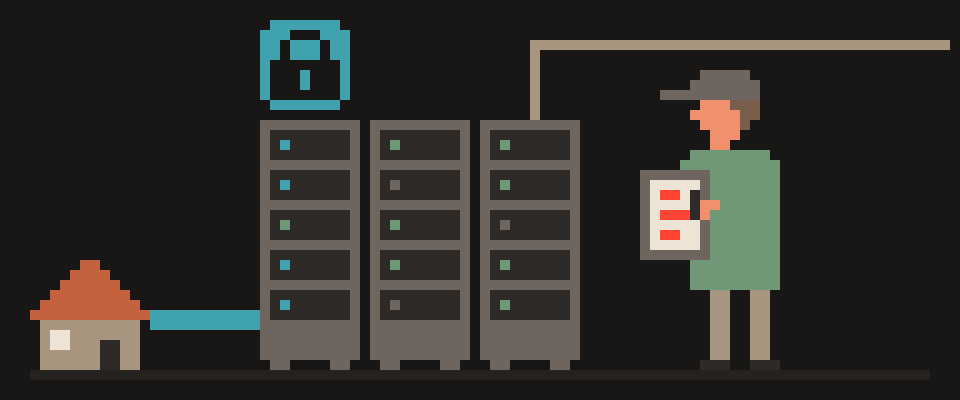
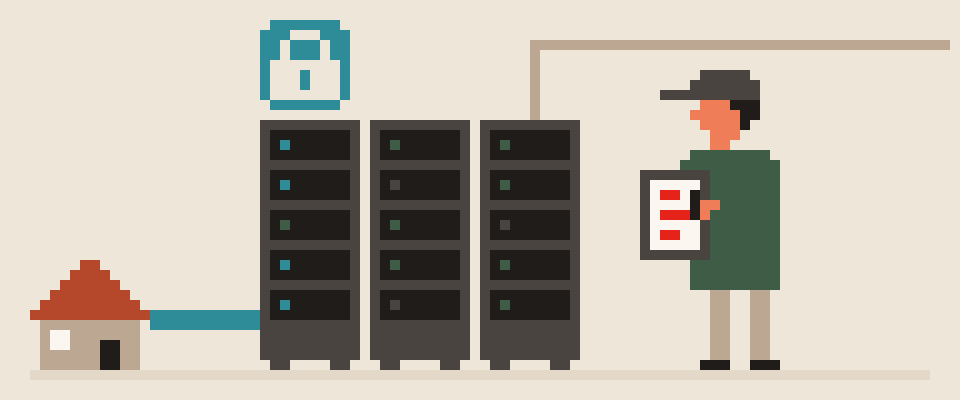
Strip the buzzwords and the difference is concrete. A corporate VPN puts your laptop on the company network: once the tunnel is up, you're inside, and whatever the network lets you reach, you can reach. ZTNA, zero trust network access, never puts you on the network at all. It lets you into one application at a time, after checking who you are, what device you're on and whether that device looks healthy, and it keeps checking while you work. One is a door to the building; the other is an escort to a specific room.
In short:
- A corporate VPN puts you on the company network; ZTNA admits you to one app at a time, checking identity and device.
- The corporate VPN isn't dead: it stays for legacy systems, printers and thick clients that expect to be on the network.
- ZTNA and corporate VPNs don't replace a personal VPN, which takes your traffic away from the local network and the ISP.
The VPN isn't dead. It's being demoted from "the way everyone gets in" to "one of the ways, for the cases it fits". Below, how each works, where each fails, and what changes for the person at the keyboard.
one door to the net   ✓      ✗
per-app access        ✗      ✓
works with legacy     ✓      ✗
needs new plumbing    ✗      ✓
    └─ personal VPN is a third thing
How a corporate VPN works
Your device authenticates to a gateway, usually with a password and a second factor, and a tunnel comes up. Your device gets an address on the internal network. From there, the network's own rules decide what you can reach, and historically those rules were loose: once inside, you could see a lot. That's convenient, and it's also why a single stolen laptop or phished password has been the opening move in so many incidents. The company-versus-personal side of this is in VPN for remote work.
you authenticate once
  └─ you are inside the network
      └─ you can reach what the
         network can reach
trust is granted by location
What is ZTNA and how does it work
There's no "inside". Each application sits behind a broker that answers one question per request: should this user, on this device, in this state, reach this app right now? Identity comes from your login, device state from an agent that checks things like disk encryption and OS updates, and the answer is re-evaluated continuously. If you're allowed into the expense system, you get the expense system; the file server two hops away doesn't even resolve. The network you're physically on stops mattering, which is why the same rules apply in the office and in a coffee shop.
every request is checked
  ├─ who you are
  ├─ which device
  └─ which single application
no network position is granted
Why vendors say the VPN is dead
Three real problems with the classic setup. Flat access: inside the tunnel, too much is reachable. The device is assumed good: a compromised laptop with valid credentials gets the same access as a healthy one. Everything hairpins through the gateway: cloud apps get pulled through the office and back out, which is slow and pointless. ZTNA answers all three: per-app access, device checks, direct paths to cloud apps. That's a genuine improvement, and it's also a product category, so expect the pitch to be louder than the difference.
                     VPN   ZTNA
legacy protocols     good  poor
one-off admin work   good  poor
blast radius         poor  good
per-app control      poor  good
Where ZTNA is worse than a VPN
Non-web and legacy things. Old protocols, printers, thick clients that expect to be "on the network", anything that talks by IP rather than by app: these are awkward or impossible behind a per-app broker, and companies end up keeping a VPN for them.
Complexity and lock-in. You're moving policy from "who's on the network" to "which of a thousand rules apply to this request", and the broker is usually a hosted service that becomes a dependency for getting any work done.
Privacy of the employee device. The agent that checks device health sees a lot about the device. On a company laptop that is expected; on a personal phone it's a conversation to have before installing.
no big "connect" button
access granted per application
a failure affects one app, not all
   └─ and a misconfiguration locks
      you out of exactly one thing
What ZTNA changes for employees
If your employer moves to ZTNA, you'll notice fewer "connect the VPN first" moments, faster cloud apps, and occasional refusals with a reason attached: update your OS, turn on disk encryption. If they keep a VPN, nothing wrong with that, provided it's configured with access limited to what your role needs and a second factor on the login. The real question for a company isn't VPN or ZTNA but "what can a stolen, logged-in laptop reach", and both models can answer it well or badly.
corporate VPN and ZTNA
  └─ let you into someone's network
a personal VPN
  └─ hides your traffic from the
     network you are sitting on
the word is shared, the job is not
The personal VPN is a different animal
Everything above is about corporate access: getting to internal systems. A personal privacy VPN does the opposite job: it takes your traffic away from the local network and the ISP and puts it through a shared exit somewhere else. ZTNA doesn't replace it, and neither does a corporate VPN; in fact a corporate tunnel often routes only company traffic and leaves the rest on the coffee shop Wi-Fi. Running both on one device is normal; which one is active and for what is worth knowing, and the practical rules are in Is public Wi-Fi safe. What a tunnel hides from the ISP and what it doesn't is in What can my ISP see.
Zero trust and ZTNA glossary
Zero trust: a design rule, "verify every request, assume nothing about the network", not a product. ZTNA: a product category that applies that rule to application access. SASE: ZTNA plus web filtering plus a few other things sold as one cloud service. Corporate VPN: a tunnel that puts a device on a private network. Personal VPN: a tunnel that takes a device's traffic to a shared exit elsewhere. Same word, four different jobs.
Vendor material makes this sound settled. Describe your actual setup.
Help me judge whether ZTNA fits my organization.

What we run now: (a corporate VPN / nothing /
a mix).
What people need to reach: (web apps / file
shares / legacy systems on fixed ports /
admin interfaces).
Where people work from: (office / home / abroad).
Team size: (roughly).

Say where ZTNA would be a genuine improvement and
where it would be worse than what we have.
Name what will not migrate cleanly.
Do not present this as a decision that is already
settled in the industry.
Bottom line
Is the corporate VPN dead? No. It's being pushed back to the cases it fits, mostly legacy systems and small teams, while per-app access takes over the rest. For you, the practical difference is fewer doors and more escorts. For your personal privacy, neither of them is the tool; that job still belongs to a tunnel you choose yourself.
404 VPN is the personal kind: VLESS in its apps, WireGuard configs for Istanbul and Marseille from the dashboard, DNS inside the tunnel, a kill switch on Android, and a privacy policy that lists what is kept. Only one tunnel runs at a time on a device, ours included, so it doesn't stack with a corporate VPN or a ZTNA agent; you switch between them as the task changes. Start on the home page.
What can sites see about you right now?
Press Check and we will show what any site you open can see.
The report arrives once you confirm your email. The check runs in your browser and on our server (for WebRTC the browser contacts a Google STUN server). We keep the result only if you ask for the report.
Get an alert when your service goes down
Our nodes check services around the clock. Pick yours and we will alert you once our check points confirm an outage.
We only write when a service goes down and when it is back. Unsubscribe in one click.
10 phone settings that make it much harder to hack
No apps, no money. The first three are right here, and we will send the rest with menu paths for iPhone and Android.
- Automatic system and app updates
- A 6-digit passcode, not 4 digits or a pattern
- Find my phone and remote erase
+ 7 more with menu paths
The checklist arrives once you confirm your email. Unsubscribe in one click.