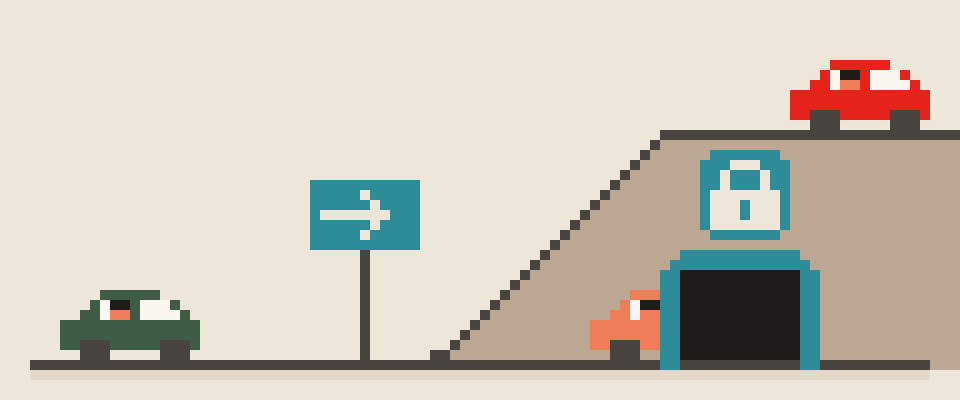
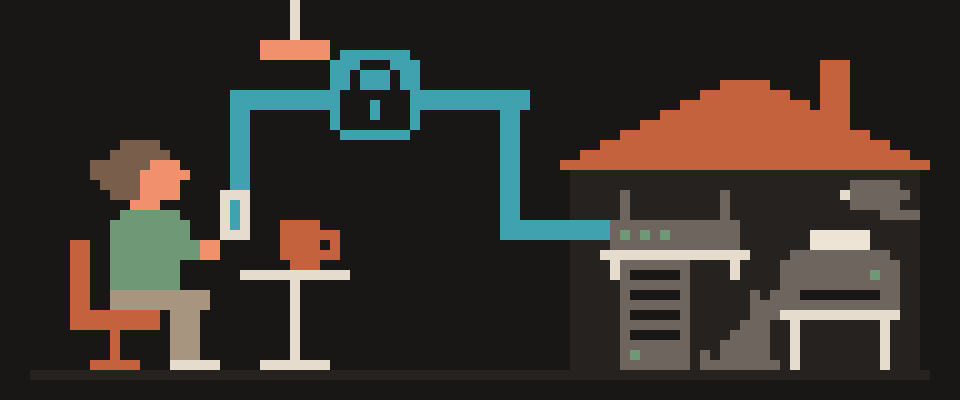
A VPN kill switch is a feature that blocks your device's internet access whenever the VPN tunnel is down, until the tunnel is back.
Without it, the moment the connection drops, your phone or laptop keeps working on the ordinary connection: sites still load, apps keep syncing, and you don't notice that the VPN is gone and everything is going out with your real IP address through your ISP. The name is literal. It does nothing while the VPN works; its whole job is the few seconds or minutes when the VPN has failed and you don't know yet.
In short:
- A kill switch blocks internet access whenever the VPN tunnel is down, so nothing leaks through your ISP with your real address.
- On Android, turn on both "Always-on VPN" and "Block connections without VPN"; the first alone still leaks during every drop.
- Test a kill switch by switching servers and reloading What Is My IP mid-switch; the page should not load at all.
no kill switch   traffic → open network
                 └─ ISP sees everything

kill switch on   traffic → blocked
                 └─ looks like "no internet"
What happens without a kill switch
VPN tunnels drop more often than people think. Your phone moves from Wi-Fi to mobile data, your laptop wakes from sleep, the router reboots, the server goes down for maintenance, the app updates. Each time, the system is without a tunnel for a moment.
Operating systems are built to keep the internet working, so the instant the tunnel disappears, they route traffic the normal way. Open tabs, background sync, messaging apps, cloud backups all continue, now with your real address and your ISP's DNS. To a site you were logged into, it looks like the same user who was in Amsterdam a second ago is now in Ohio.
0 s   tunnel dies
0 s   system looks for any route out
1 s   traffic goes via your ISP
...   tabs, messengers, backups
30 s  client notices, reconnects
      └─ you saw none of it
Two kinds of kill switch
App level. Your VPN app watches the tunnel. The moment it drops, the app adds a firewall rule ("allow nothing except the VPN server") or shuts down the network interfaces. Works everywhere. Falls apart if the app itself crashes or is closed.
System level. The operating system enforces "all traffic goes through the VPN interface" regardless of the app. On Android this is the "Block connections without VPN" setting; on iOS it's available to managed profiles; on Windows and macOS the app installs firewall rules at setup time. This survives an app crash.
Good apps do both: the app runs the tunnel, and the system rule catches the case where the app stops responding at all.
                    App    System

works everywhere     yes     no
survives a freeze    no      yes
turns on by itself   yes     no
set once, forever    no      yes
   └─ good clients use both
When a kill switch triggers
- Switching networks: coffee shop Wi-Fi to mobile data to your home Wi-Fi.
- Waking your laptop, where the network comes back before the VPN does.
- Switching servers inside the app: the old tunnel is gone and the new one isn't up yet.
- Server maintenance or overload.
- Flaky connections on trains and planes.
In every one of these, the kill switch keeps your internet shut until the tunnel is back. To you it looks like "the internet died for five seconds," and that's exactly what should happen.
Wi-Fi to mobile handoff    ||||||||
laptop waking up           |||||
switching servers          ||||
server maintenance         ||
trains and planes          ||
Kill switch on Android: two settings, not one
Android gives you two related settings and almost everybody mixes them up. "Always-on VPN" makes the system bring the VPN back after any drop. "Block connections without VPN" is the actual kill switch: until the tunnel is up, no app gets online. The first without the second protects nothing, because traffic goes out during the gap. Turn on both: Settings → Network & internet → VPN → gear icon next to the app. iPhone has no built-in switch for ordinary apps, so on iOS the feature has to be in the app itself; see what is VPN on iPhone settings.
Always-on VPN      brings tunnel up
Block without VPN  holds traffic back

first one alone  → leak on every drop
both together    → no gap
How to test a VPN kill switch
- Connect the VPN and open What Is My IP. Note the address; that is the server.
- Check that the kill switch is actually on in your app. Plenty of them ship with it off.
- Break the tunnel on purpose. The cleanest way is to switch servers in the app and reload the page during the switch. Another is to block the VPN server's address on your router or firewall for a minute so the tunnel dies by itself.
- While the VPN is reconnecting, pages shouldn't load at all. If the page reloads and shows your real address, the kill switch is off or not working.
- After reconnection, check the address again and run the WebRTC leak test: a browser can reveal your real address through WebRTC even with the tunnel up, and that is a separate problem.
tunnel drops               covered
IPv6 around tunnel         separate problem
DNS outside tunnel         separate problem
WebRTC in browser          separate problem
your logged-in accounts    not its job
When a kill switch gets in the way
- Local devices. A strict kill switch can block the printer, NAS or TV casting on your home network. Look for an "allow local network" option.
- Unstable networks. On a train your internet already dies every few minutes. With the kill switch it stays down slightly longer while the tunnel comes back. That's not a bug, that's the point.
- Apps that refuse to work through a VPN. Don't turn the kill switch off for them; put them in split tunneling instead, explained in what is split tunneling.
- Captive portals. The coffee shop's login page can't load while everything is blocked. Turn the VPN off for a minute, sign in to the Wi-Fi, turn it back on.
If you can't break the tunnel deliberately, or you can't tell which setting is the kill switch, ask about your exact app.
Help me verify the kill switch in my VPN app.

App: (name). System: (Android 14 / iOS 18 /
Windows 11 / macOS).
Settings I can see: (list them, for example
"block traffic if the tunnel drops",
"allow local network", "auto-connect").

Tell me which of these is the kill switch,
whether it is on by default in this app, and
how to test it safely without breaking my
network.
If this app has no such feature at all, say so
plainly instead of suggesting similar names.
Kill switch checklist
- Kill switch on in the app.
- On Android, also "Block connections without VPN" in system settings.
- Tested it once yourself with the steps above.
- Local network exception on if you use a printer or NAS.
- If drops are frequent, fix the cause with why does my VPN keep disconnecting.
404 VPN's kill switch is on by default: when the tunnel drops, traffic is blocked rather than switched to the open connection. The rest of the protection is described on the security page; get started here.
What can sites see about you right now?
Press Check and we will show what any site you open can see.
The report arrives once you confirm your email. The check runs in your browser and on our server (for WebRTC the browser contacts a Google STUN server). We keep the result only if you ask for the report.
Get an alert when your service goes down
Our nodes check services around the clock. Pick yours and we will alert you once our check points confirm an outage.
We only write when a service goes down and when it is back. Unsubscribe in one click.
10 phone settings that make it much harder to hack
No apps, no money. The first three are right here, and we will send the rest with menu paths for iPhone and Android.
- Automatic system and app updates
- A 6-digit passcode, not 4 digits or a pattern
- Find my phone and remote erase
+ 7 more with menu paths
The checklist arrives once you confirm your email. Unsubscribe in one click.