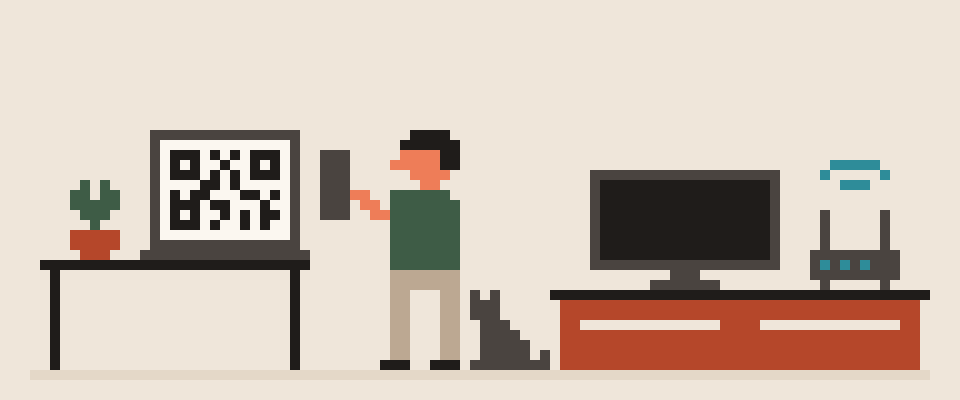
A VPN on the router covers everything in the house at once, including devices that can't run a VPN app, such as a smart TV or a game console.
A VPN app on each device is faster, easier to switch, and lets you choose what goes through the tunnel. For most people the right answer is the app on phones and laptops, plus the router for the devices that can't do it themselves. The details decide which side you land on.
In short:
- A VPN on the router covers every device at once, including smart TVs and consoles that can't run a VPN app.
- Router CPUs are the usual bottleneck: WireGuard can carry a few hundred megabits on a decent router, OpenVPN several times less.
- Most people should run the app on phones and laptops and the router VPN only for devices that can't run one.
                  Router   App

covers every device   ✓       ✗
full speed            ✗       ✓
switch server fast    ✗       ✓
covers TV and console ✓       ✗
    └─ many people run both
What a VPN on a router means
Your router connects to the VPN server, and everything behind it gets pushed through the tunnel without being asked. Your devices have no idea a VPN exists; all they see is a normal Wi-Fi network. Sites and services see the VPN server's address for the whole household.
For that you need a router that can run a VPN client, and the box your ISP gave you usually can't. Routers running OpenWrt, ASUS routers with Merlin firmware, GL.iNet travel routers, MikroTik, Keenetic and similar devices can, most of them with WireGuard built in.
client on the router
  └─ the whole home exits through
     someone else's server
server on the router
  └─ you reach your home from outside
two different jobs, one phrase
A TV is the clearest case for the router route, because most TVs can't run a VPN app at all: VPN on a smart TV.
Where a router VPN is better
- Everything is covered, including your TV, consoles, streaming boxes, printer and smart-home gadgets that have no VPN app at all.
- Always on. Nobody forgets to hit connect, and your guests are covered the second they join the Wi-Fi.
- One connection instead of ten. If your VPN plan limits simultaneous devices, the router counts as one.
- No apps to install or update on every single device.
- The tunnel is up before any app is, so there's no window at boot where your traffic slips out unprotected.
covers devices with no client
TV, console, smart plugs, printer
guests are covered too
survives a phone being replaced
Where a VPN app on each device is better
- Speed. Encryption on a router CPU is the most common bottleneck. A mid-range phone will out-encrypt a budget router by a wide margin. Why that matters is covered in does a VPN slow down your internet.
- Choosing per app. Split tunneling lets you send the browser through the VPN and keep the banking app or a game on the direct connection. On a router it's all or nothing, unless you set up policy routing by hand.
- Switching servers is one tap for you. On a router it means signing into the admin page.
- Protection outside the house. The router does nothing for your phone on mobile data or in a coffee shop.
- A kill switch (no tunnel, no internet) on the device blocks that one device when its tunnel drops. A router kill switch takes your whole house offline instead.
- Latency-sensitive stuff like gaming can skip the VPN on one device without dragging everything else with it.
switch server in one tap
goes with you outside the house
per-app rules
kill switch that actually exists
Router VPN vs app speed
WireGuard on a modern router with a decent CPU can carry a few hundred megabits, which is enough for most homes. OpenVPN on the same router is several times slower. A five-year-old router doing OpenVPN can drop a gigabit line to a few tens of megabits, and every device shares that. Before committing to a router VPN, check what throughput other people report for your exact model and the protocol you plan to use.
Your phone or laptop, meanwhile, spends a sliver of one core on WireGuard or VLESS and almost never becomes the bottleneck.
router CPU        ||||||||||
your ISP line     ||||
the protocol      |||
   └─ encryption on a router is
      done by a weak processor
Router VPN and a VPN app without double tunnels
If the router runs a VPN and you also turn on the app on your laptop, the laptop's traffic goes through two tunnels in a row: the app's, then the router's. That works, but it doubles the overhead and puts you in a country you didn't choose. Three clean ways to avoid it:
- Router only for dumb devices. Put the VPN on a separate Wi-Fi network or a guest network, connect the TV and console there, and keep phones and laptops on the normal network with their own app.
- Policy routing. Advanced firmware lets you say which devices, by IP or MAC, go through the tunnel. Everything else takes the direct route.
- App on everything, no router VPN. Simplest if your household has no devices that need covering.
Firmware names vary. Ask about the box you actually own.
Help me decide: tunnel on the router or on each
device.

Router: (make, model, firmware).
Devices at home: (list them, including anything
with no VPN app of its own).
Internet speed: (roughly).
Do I travel with a laptop or phone: (yes / no).

Tell me which approach fits, and whether my
router's processor can carry the speed I pay for.
If my firmware cannot do it at all, say so and
name what is left.
Router or device VPN: which to pick
Choose the router if you mainly want to cover a TV, console or streaming box, you have a router that handles WireGuard well, and you don't need to switch servers often.
Choose the device app if you care about speed, use the VPN outside the house, want split tunneling, or share a network with people who need different settings.
Choose both if you have devices in each category. Router for the ones that can't run an app, app on the ones that can, and no overlap between them.
[ ] router supports the protocol
[ ] you can get back in if it breaks
[ ] devices that must stay direct
    are listed
[ ] you know your line speedSetting it up on a router is an evening, not five minutes: how long a VPN takes to set up has the honest breakdown.
Before you set up a VPN on your router
- Pick a server close to home for the router: every device pays the latency, so distance matters more than on a single device. The server list shows latency and load per location.
- Point the router's DNS (the internet's phone book) at the VPN provider's resolvers, or every device in the house leaks in exactly the same way.
- Turn IPv6 off on the router's WAN side unless your tunnel handles it.
- Keep a way to reach the router's admin page without the VPN, in case the tunnel fails and you need to fix it.
- After setup, open What Is My IP from a device behind the router to confirm it shows the VPN server.
404 VPN currently covers the per-device route only: the builds available today are Android and macOS, and the other platforms are still in progress. There's no router configuration from us, so if you want the router route, the generic setup in this article is what applies. How the connection is built is described on the how it works page, and what is ready to download is on the download page.
What can sites see about you right now?
Press Check and we will show what any site you open can see.
The report arrives once you confirm your email. The check runs in your browser and on our server (for WebRTC the browser contacts a Google STUN server). We keep the result only if you ask for the report.
Get an alert when your service goes down
Our nodes check services around the clock. Pick yours and we will alert you once our check points confirm an outage.
We only write when a service goes down and when it is back. Unsubscribe in one click.
10 phone settings that make it much harder to hack
No apps, no money. The first three are right here, and we will send the rest with menu paths for iPhone and Android.
- Automatic system and app updates
- A 6-digit passcode, not 4 digits or a pattern
- Find my phone and remote erase
+ 7 more with menu paths
The checklist arrives once you confirm your email. Unsubscribe in one click.